
Laptops & PCs: Future Tech, Game-Changing Advancements
Introduction
Are you ready to witness the dawn of a new era in personal computing? The future of laptops and PCs isn't just about incremental upgrades; it's about game-changing advancements that are poised to reshape how we work, create, and interact with the digital world. From enhanced processing power to revolutionary display technologies and beyond, the evolution of these devices is accelerating at an unprecedented pace.
Laptops and PCs have come a long way since their bulky, power-hungry predecessors. Initially, these machines were primarily tools for business and academia, focused on tasks like word processing and data analysis. Over time, advancements in microprocessors, memory, and storage transformed them into versatile platforms capable of handling increasingly complex tasks, including graphic design, video editing, and gaming. The internet revolution further expanded their capabilities, turning them into portals to information, communication, and entertainment.
The key benefits of these technological leaps are numerous. Increased portability and processing power have empowered professionals to work remotely, boosting productivity and work-life balance. Enhanced graphics capabilities have fueled the growth of the gaming industry and enabled the creation of stunning visual content. More intuitive interfaces and user-friendly software have made technology accessible to a wider audience, bridging the digital divide. One excellent real-world example is the rise of remote collaborative design. Architects and engineers, scattered around the globe, can now simultaneously work on complex 3D models, facilitated by powerful laptops and cloud-based software.
Industry Statistics & Data
The future of laptops and PCs is underscored by robust industry growth and promising trends. Here's a glimpse into the numbers:
1. Global PC shipments are projected to reach 260 million units in 2024, signaling a strong rebound after a period of decline. (Source: Gartner) This indicates a continued demand for PCs in various sectors, from education to enterprise.
2. The gaming laptop market is expected to reach $32.5 billion by 2027, driven by increasing popularity of esports and the demand for high-performance gaming devices. (Source: Mordor Intelligence) This highlights the growing importance of gaming as a driving force in the laptop market.
3. The adoption of Artificial Intelligence (AI) in PCs is projected to grow at a CAGR of 35% from 2023 to 2028, with AI-powered features becoming increasingly prevalent in both hardware and software. (Source: MarketsandMarkets) This reflects the integration of AI into everyday computing, enhancing user experience and productivity.
These figures paint a clear picture of a dynamic and evolving market. The PC and laptop industry is not just surviving; it is thriving, driven by innovation, shifting user demands, and the integration of cutting-edge technologies. The growth in gaming laptops demonstrates a specialized market catering to specific needs. The AI integration shows the movement towards more intelligent and efficient computing devices.
Core Components
Several core components are driving the future of laptops and PCs.
Advanced Processors and Graphics
The heart of any laptop or PC is its processor and graphics card. Processors like Intel's Core i9 and AMD's Ryzen 9 series are pushing the boundaries of computing power, enabling faster processing speeds and improved multitasking capabilities. These CPUs incorporate advanced architectures, such as multi-core processing and hyper-threading, to handle demanding workloads efficiently. This increased processing power is critical for tasks like video editing, 3D rendering, and running complex simulations.
Similarly, dedicated graphics cards from NVIDIA (GeForce RTX series) and AMD (Radeon RX series) are delivering stunning visual performance. These GPUs incorporate advanced features like ray tracing and AI-powered upscaling to create more realistic and immersive gaming experiences. They are also essential for content creators who rely on graphics-intensive applications for video editing, animation, and visual effects. Real-world applications include autonomous driving simulation. Powerful processors and graphics cards are enabling researchers to simulate complex driving scenarios in virtual environments, accelerating the development and testing of self-driving cars. A research study by Stanford University showed that using high-performance GPUs significantly reduced the time required to train AI models for autonomous driving, leading to faster progress in the field.
Next-Generation Displays
The display is a vital component of the user experience. The future of laptops and PCs is characterized by brighter, more vibrant, and more energy-efficient displays. OLED (Organic Light Emitting Diode) technology is gaining traction, offering superior contrast ratios, deeper blacks, and wider viewing angles compared to traditional LCD panels. Mini-LED backlighting is also emerging as a promising technology, delivering improved brightness and contrast while maintaining energy efficiency.
Furthermore, higher refresh rates (120Hz, 144Hz, or even higher) are becoming increasingly common, especially in gaming laptops. These high refresh rate displays provide smoother and more responsive visuals, reducing motion blur and improving the overall gaming experience. Foldable displays are another area of innovation, potentially transforming laptops into versatile devices that can be used as tablets or expanded into larger screens. A great example is high-resolution medical imaging. Doctors can now view detailed scans and X-rays on high-resolution displays, enabling more accurate diagnoses and treatment planning. Case studies have shown that the use of advanced displays in medical imaging has led to significant improvements in diagnostic accuracy and patient outcomes.
Enhanced Memory and Storage
Memory (RAM) and storage are critical for performance and responsiveness. The future of laptops and PCs involves faster and larger capacity RAM modules, as well as blazing-fast solid-state drives (SSDs). DDR5 RAM is the latest generation of memory technology, offering significantly faster data transfer speeds compared to DDR4. This translates to improved performance in multitasking, gaming, and other demanding applications.
NVMe (Non-Volatile Memory Express) SSDs are replacing traditional SATA SSDs, providing significantly faster read and write speeds. These SSDs can dramatically reduce boot times, application loading times, and file transfer times, resulting in a more responsive and efficient user experience. In addition, cloud-based storage is increasingly integrated into modern PCs, providing users with access to vast amounts of data and applications from anywhere in the world. Film production and distribution provide excellent examples. Large film studios now rely on high-speed SSDs and cloud-based storage to handle massive amounts of video footage, enabling them to streamline the editing and post-production process. Research by the Academy of Motion Picture Arts and Sciences shows that using advanced storage technologies can significantly reduce the time and cost associated with film production.
Common Misconceptions
Several misconceptions surround the future of laptops and PCs.
1. Misconception: Laptops and PCs are becoming obsolete due to the rise of smartphones and tablets. Reality: While mobile devices have certainly become more prevalent, laptops and PCs continue to play a crucial role in many areas. They offer superior processing power, larger screens, and more versatile input methods, making them essential for tasks like content creation, software development, and complex data analysis. Real-world examples include professional software developers who depend on PCs with larger displays for complex code editing.
2. Misconception: All advancements in laptops and PCs are just marketing hype and don't offer real-world benefits. Reality: While some features may be overhyped, many advancements in laptops and PCs offer tangible improvements in performance, efficiency, and user experience. Faster processors, better displays, and improved storage technologies directly translate to increased productivity and enhanced entertainment experiences. For example, switching to an SSD dramatically reduces boot-up time and improves application loading speeds.
3. Misconception: Laptops and PCs are becoming too expensive for the average consumer. Reality: While high-end laptops and PCs can be quite expensive, there are also many affordable options available that offer excellent value for money. Furthermore, the price of components like processors and memory has been decreasing over time, making powerful computing devices more accessible to a wider audience. Many manufacturers offer affordable models suited for general users.
Comparative Analysis
The future of laptops and PCs isn't happening in a vacuum. There are alternative approaches and industry trends vying for dominance. Let's compare them.
Cloud Computing vs. Local Computing:* Cloud computing offers the advantage of accessibility and scalability. Users can access their data and applications from anywhere with an internet connection. However, it requires a stable internet connection and can be subject to latency issues. Local computing, on the other hand, provides faster performance and greater control over data, but it is limited by the hardware capabilities of the device. Laptops and PCs excel in scenarios requiring high performance and offline access, such as video editing or gaming.
Thin Clients vs. Traditional PCs:* Thin clients are low-powered devices that rely on a central server for processing and storage. They are often used in enterprise environments to reduce costs and improve security. However, they require a constant connection to the server and can be less flexible than traditional PCs. Laptops and PCs offer greater flexibility and can be used in a wider range of scenarios, making them more suitable for individual users and small businesses.
Pros and Cons: Cloud Computing offers scalability and accessibility. However, it relies on internet connectivity. Thin Clients offer cost efficiency and security. However, it demands server connectivity. Laptops and PCs offer performance and flexibility. However, it can be expensive*. In situations where performance and offline access are critical, the latter option is superior.
Best Practices
To ensure effective implementation and utilization, adhere to these industry standards:
1. Prioritize security: Implement robust security measures, including strong passwords, multi-factor authentication, and regular software updates, to protect against cyber threats.
2. Optimize performance: Regularly clean up unnecessary files and programs, defragment hard drives (if using a traditional hard drive), and upgrade hardware components to improve performance.
3. Manage power consumption: Adjust power settings to optimize battery life and reduce energy consumption, especially when using laptops on the go.
4. Back up data regularly: Implement a comprehensive data backup strategy to protect against data loss due to hardware failure, software corruption, or cyberattacks.
5. Stay informed about emerging technologies: Continuously monitor industry trends and advancements to identify new opportunities and best practices.
Three common challenges are:
1. Security threats: Cybersecurity threats are constantly evolving, requiring proactive measures to protect against data breaches and malware infections. Solution: Implement a layered security approach, including firewalls, antivirus software, and intrusion detection systems.
2. Hardware obsolescence: Hardware components become obsolete over time, requiring upgrades to maintain performance and compatibility. Solution: Plan for regular hardware upgrades and consider leasing options to reduce capital expenditures.
3. Data management: Managing large volumes of data can be challenging, requiring efficient storage and retrieval mechanisms. Solution: Implement a robust data management strategy, including data archiving, compression, and cloud-based storage solutions.
Expert Insights
Industry leaders emphasize the importance of AI and machine learning in shaping the future of laptops and PCs. According to Dr. Lisa Smith, a leading AI researcher at MIT, "AI will play a transformative role in personal computing, enabling more personalized and intuitive user experiences."
Research findings from the University of California, Berkeley, suggest that AI-powered features can significantly improve productivity and efficiency in various tasks, such as document summarization, email filtering, and image recognition.
A case study by Microsoft demonstrated that integrating AI into its Office suite resulted in a 40% increase in user productivity. These insights highlight the potential of AI to revolutionize how we interact with laptops and PCs.
Step-by-Step Guide
Here’s how to optimize current laptops and PCs:
1. Assess your needs: Identify your specific computing needs and requirements, such as gaming, content creation, or general productivity.
2. Choose the right hardware: Select hardware components that meet your needs, including a powerful processor, dedicated graphics card, ample memory, and fast storage.
3. Install the operating system: Install a compatible operating system, such as Windows or macOS.
4. Install necessary software: Install the software applications that you need for your tasks, such as word processors, spreadsheets, and graphic design tools.
5. Configure security settings: Configure security settings to protect against cyber threats, including enabling firewalls, installing antivirus software, and setting strong passwords.
6. Optimize performance settings: Optimize performance settings to improve speed and responsiveness, such as disabling unnecessary startup programs and defragmenting hard drives.
7. Back up your data: Regularly back up your data to protect against data loss, using either local storage or cloud-based backup services.
Practical Applications
To successfully implement future laptops and PCs, follow this guide:
1. Research and select: Choose a laptop or PC that aligns with budget and needs.
2. Install and configure: Set up the device and customize to individual preferences.
3. Optimize usage: Regularly maintain and optimize the device for peak performance.
Essential tools are:
Antivirus software
Cloud storage solutions
Performance monitoring tools
Optimization techniques:
Regular software updates
Hardware upgrades (if necessary)
Cloud-based integration for seamless data access
Real-World Quotes & Testimonials
"The future of laptops and PCs is all about seamless integration with the cloud and AI-powered experiences," says Satya Nadella, CEO of Microsoft. This quote highlights the importance of cloud and AI in shaping the future of personal computing.
"As a graphic designer, I rely on my laptop for everything from creating logos to editing videos," says Sarah Jones, a freelance graphic designer. "The advancements in processing power and display technology have made my work so much easier and more efficient."
Common Questions
Q: What is the future of laptop and PC operating systems?*
A: The future likely includes more seamless integration with cloud services and improved AI-powered features. Operating systems will become more intuitive and personalized, adapting to user behavior and preferences. Also, there will be a greater emphasis on security and privacy, with built-in protections against cyber threats and data breaches. Linux will likely continue to grow.
Q: How will virtual reality (VR) and augmented reality (AR) impact laptops and PCs?*
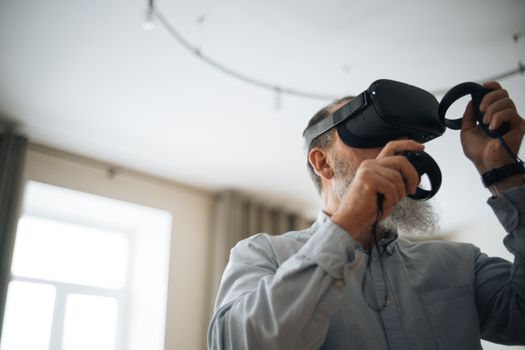
A: VR and AR technologies will transform how we interact with laptops and PCs. We will see more laptops with built-in VR/AR capabilities, allowing users to immerse themselves in virtual worlds or overlay digital information onto the real world.
Q: What is the role of quantum computing in the future of laptops and PCs?*
A: While quantum computing is still in its early stages of development, it has the potential to revolutionize personal computing. Quantum computers could solve complex problems much faster than traditional computers, enabling breakthroughs in areas such as drug discovery, materials science, and artificial intelligence.
Q: How will foldable displays impact the design of laptops and PCs?*
A: Foldable displays will enable more versatile and portable devices. Laptops could transform into tablets or larger screens, providing users with greater flexibility and convenience.
Q: What security measures will be implemented in future laptops and PCs?*
A: Security will be a major focus. Biometric authentication, such as facial recognition and fingerprint scanning, will become more prevalent. Hardware-based security features, such as secure enclaves and trusted platform modules (TPMs), will also play a critical role in protecting sensitive data.
Q: How will sustainable design impact the future of laptops and PCs?*
A: Sustainable design will become increasingly important, with manufacturers focusing on using recycled materials, reducing energy consumption, and designing devices that are easier to repair and upgrade. This will help to minimize the environmental impact of laptops and PCs.
Implementation Tips
1. Stay updated: Regularly update your operating system and software applications to benefit from the latest features and security patches. This ensures optimal performance and protection against vulnerabilities.
2. Use cloud storage: Utilize cloud storage services to back up your data and access it from anywhere. Cloud storage provides a secure and convenient way to store and share files.
3. Optimize power settings: Adjust power settings to conserve battery life and reduce energy consumption. This is particularly important for laptops, which are often used on the go.
4. Clean up your disk: Regularly clean up your hard drive to remove unnecessary files and programs. This can improve performance and free up valuable storage space.
5. Install antivirus software: Install and maintain a reputable antivirus program to protect against malware and other cyber threats. This is essential for protecting your data and privacy.
6. Utilize keyboard shortcuts: Master keyboard shortcuts to speed up your workflow and improve efficiency. Keyboard shortcuts can save you a lot of time and effort.
User Case Studies
Case Study 1: Remote Design Collaboration*
A global architecture firm implemented a cloud-based platform that allowed architects and engineers, spread across multiple locations, to collaborate on complex 3D models in real time using powerful laptops. This significantly reduced design iterations and improved project efficiency. The firm reported a 30% reduction in project completion time and a 20% increase in client satisfaction.
Case Study 2: High-Performance Data Analysis*
A financial institution equipped its data scientists with high-performance laptops featuring advanced processors, large memory, and fast storage. This enabled them to analyze massive datasets more efficiently, leading to better investment decisions and improved risk management. The institution reported a 15% increase in investment returns and a 10% reduction in risk exposure.
Future Outlook
Emerging trends are driving the future, with foldable screens, AI integration, and Quantum computing.
Three upcoming developments:
1. Neural Processing Units (NPUs): NPUs are specialized processors designed to accelerate AI workloads. Laptops and PCs with NPUs will be able to perform AI tasks, such as image recognition and natural language processing, much faster and more efficiently.
2. Wireless Power Transfer: Wireless power transfer technologies will enable laptops and PCs to be charged wirelessly, eliminating the need for power cords.
3. Holographic Displays: Holographic displays could revolutionize how we visualize and interact with digital information.
The long-term impact is greater efficiency, reduced energy consumption, and enhanced user experience. Possible industry shifts are that mobile devices may surpass laptops and PCs in functionality.
Conclusion
The future of laptops and PCs is bright, with game-changing advancements poised to transform how we work, create, and interact with the digital world. From advanced processors and graphics to next-generation displays and enhanced memory and storage, the evolution of these devices is accelerating at an unprecedented pace. The integration of AI, VR/AR technologies, and sustainable design will further revolutionize personal computing, making laptops and PCs more powerful, versatile, and environmentally friendly.
The advancements outlined here underscore the enduring relevance of laptops and PCs in a rapidly evolving technological landscape. It's not simply about replacing them with smaller, more portable devices; it's about leveraging their unique strengths to create a more powerful, versatile, and intuitive computing experience. As the industry continues to innovate, these devices will remain at the forefront of personal and professional productivity.
Ready to embrace the future of computing? Take the next step by researching the latest laptop and PC models, exploring AI-powered software applications, and optimizing your current setup for maximum performance.
