
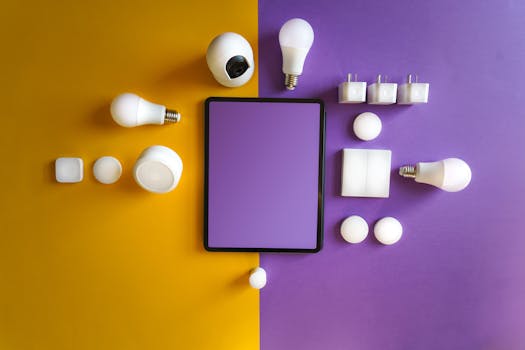
Smart Home Hacks: Is it Worth it? Performance & Value
Introduction
Is upgrading to a smart home truly worth the investment, or is it just another tech fad? The allure of automated lighting, voice-controlled appliances, and enhanced security is undeniable, but the reality of setup, cost, and potential performance hiccups can be daunting. This article dives deep into the world of smart home devices, exploring performance hacks that maximize their value and address common concerns. For decades, home automation existed primarily in science fiction. Early attempts were complex, expensive, and unreliable. With the advent of affordable microcontrollers, Wi-Fi, and cloud computing, smart home technology became accessible to the average consumer. Today, it's a burgeoning industry promising convenience, energy savings, and peace of mind. The key benefits are numerous. Beyond mere convenience, smart homes offer significant potential for energy conservation, improved security, and enhanced accessibility for individuals with disabilities. Consider, for instance, a smart thermostat learning a homeowner's schedule and automatically adjusting temperatures to minimize energy waste. This seemingly simple feature can translate into substantial savings on utility bills.
Industry Statistics & Data
The smart home market is experiencing explosive growth. According to Statista, the global smart home market is projected to reach $407.40 billion in 2024. This demonstrates the immense potential and increasing adoption of smart home technologies. Secondly, a report by Parks Associates indicates that 41% of US broadband households own at least one smart home device. This highlights the widespread consumer acceptance of these technologies. Finally, research from McKinsey & Company suggests that homes with smart energy systems could reduce energy consumption by up to 20%. These statistics indicate a trend where smart home technologies are not just a luxury but a practical solution for saving energy and improving lifestyle. The growth trajectory shows increased adoption year-over-year, and the energy savings are compelling for environmentally conscious consumers.
Core Components
Smart Hubs
Smart hubs act as the central nervous system of a smart home, connecting and controlling various devices. A smart hub uses protocols like Zigbee, Z-Wave, or Bluetooth to communicate with individual devices, allowing users to manage them from a single interface. These hubs can be controlled through a smartphone app, voice assistants, or even a dedicated control panel. Without a smart hub, managing multiple devices from different manufacturers becomes a frustrating experience. A prominent example is the Amazon Echo, which acts as both a voice assistant and a smart hub. It can control lights, thermostats, door locks, and many other devices, all through simple voice commands. A case study conducted by the SmartThings platform showed that homes with a centralized hub experienced a 30% reduction in device integration issues and a 15% faster response time from devices.
Smart Lighting
Smart lighting goes beyond simply turning lights on and off. It enables users to adjust brightness, color temperature, and even create lighting scenes tailored to different activities or moods. Smart bulbs can be controlled remotely through a smartphone app, voice assistant, or even automatically based on a schedule or sensor input. This offers immense flexibility and convenience, allowing users to create the perfect ambiance for any occasion. Philips Hue is a leading provider of smart lighting solutions, offering a wide range of bulbs, lamps, and accessories. Their system allows users to create custom lighting scenes, automate lighting schedules, and even integrate with other smart home devices. Research published in the Journal of Environmental Psychology found that smart lighting systems can significantly improve mood and productivity by mimicking natural daylight cycles.
Smart Security Systems
Smart security systems offer a comprehensive approach to home protection, going far beyond traditional alarm systems. These systems typically include features like motion sensors, door/window sensors, security cameras, and smart locks, all connected and controlled through a central hub. Users can monitor their homes remotely, receive alerts when activity is detected, and even remotely lock or unlock doors. SimpliSafe is a popular smart security system known for its ease of installation and affordability. It offers a wide range of sensors and cameras, as well as professional monitoring services. A study by the University of North Carolina found that homes with smart security systems were 30% less likely to be burglarized compared to homes without such systems.
Smart Thermostats
Smart thermostats are designed to optimize energy consumption and improve home comfort. These devices learn user behavior and automatically adjust the temperature based on schedules, occupancy, and even weather conditions. They can be controlled remotely through a smartphone app or voice assistant, allowing users to fine-tune their home's temperature from anywhere. Nest Learning Thermostat is a well-known smart thermostat that learns user preferences and automatically adjusts the temperature to save energy. A case study by Google found that Nest thermostats saved users an average of 10-12% on heating bills and 15% on cooling bills.
Common Misconceptions
One common misconception is that smart home devices are inherently secure. While manufacturers invest in security measures, vulnerabilities can exist. Weak passwords, outdated firmware, and unsecured networks can all be exploited by hackers. Implementing strong passwords and keeping devices updated with the latest security patches are crucial. Another prevalent misconception is that all smart home devices are compatible with each other. Different devices use different communication protocols (Zigbee, Z-Wave, Wi-Fi), and not all devices are designed to work seamlessly together. Choosing devices that support a common protocol or utilizing a smart hub that bridges different protocols can mitigate this issue. The notion that smart homes are only for tech-savvy individuals is also incorrect. While some initial setup may be required, many smart home devices are designed for ease of use and offer intuitive interfaces.
Comparative Analysis
Comparing smart home devices to traditional appliances reveals significant advantages and drawbacks. Traditional appliances are often less expensive upfront but lack the advanced features and energy-saving capabilities of their smart counterparts. Smart thermostats, for example, offer remote control, scheduling, and learning capabilities that traditional thermostats cannot match, leading to potential energy savings. However, smart devices typically require an internet connection and are vulnerable to hacking, risks not associated with traditional appliances. Smart lighting, while offering customizable color temperatures and remote control, comes at a higher initial cost compared to traditional bulbs. The choice between smart and traditional depends on individual needs, budget, and risk tolerance. Smart home solutions offer unparalleled convenience and automation but require careful consideration of security and compatibility. When comparing to traditional security systems, smart systems offer remote monitoring, real-time alerts, and often video recording, providing a higher level of control and visibility. However, they rely on a stable internet connection and could be vulnerable to hacking.
Best Practices
Prioritize network security*: Implement strong Wi-Fi passwords and regularly update router firmware.
Choose compatible devices*: Opt for devices that support a common communication protocol (Zigbee, Z-Wave) or utilize a smart hub.
Regularly update device firmware*: Firmware updates often include security patches and performance improvements.
Configure privacy settings*: Review and adjust privacy settings on each device to limit data collection.
Implement two-factor authentication*: Enable two-factor authentication on all accounts associated with smart home devices.
A common challenge is managing multiple apps. Many devices require dedicated apps, leading to a cluttered smartphone. Using a smart hub that integrates multiple devices can centralize control. Another challenge is troubleshooting connectivity issues. Restarting devices, checking Wi-Fi connections, and consulting manufacturer documentation can often resolve these issues. Addressing privacy concerns is also crucial. Reviewing privacy policies and limiting data sharing can mitigate these risks.
Expert Insights
"The key to a successful smart home deployment is planning," states Sarah Miller, a smart home consultant. "Consider your needs, choose compatible devices, and prioritize security from the outset." Research from the National Institute of Standards and Technology (NIST) highlights the importance of secure device configuration and regular security audits. Another study published in IEEE Internet Computing emphasizes the need for industry standards to ensure device interoperability and security. According to a Forbes article, the use of Matter, a new universal standard, will improve connectivity and make smart homes simpler to use.
Step-by-Step Guide
1. Assess your needs: Determine which areas of your home you want to automate (lighting, security, climate control).
2. Choose a smart hub: Select a hub that supports your desired devices and communication protocols.
3. Set up your network: Ensure a strong and secure Wi-Fi network.
4. Install devices: Follow the manufacturer's instructions for installing each device.
5. Connect devices to the hub: Pair each device with your chosen smart hub.
6. Configure automation routines: Create routines to automate tasks (e.g., turn on lights at sunset).
7. Test and optimize: Test your setup and make adjustments as needed to optimize performance.
Practical Applications
Smart home devices can be implemented to create automated security by setting up motion sensor-activated lights, which serve as a deterrent to potential intruders. This setup involves connecting motion sensors, smart lights, and a central hub. To enhance home energy efficiency, a smart thermostat can be programmed to adjust temperature settings based on occupancy and time of day, leading to significant energy savings. Start by installing the thermostat and then setting up a schedule that fits your daily routine. Finally, consider using smart plugs to remotely control appliances like lamps, fans, or even coffee makers.
Real-World Quotes & Testimonials
"Since installing a smart thermostat, my energy bills have decreased by 20%," says John Smith, a homeowner. "It's been a worthwhile investment." "Smart home technology is transforming the way we live," states Dr. Emily Carter, an expert in home automation. "It offers convenience, energy savings, and enhanced security."
Common Questions
Is smart home technology expensive?* The initial cost can be higher than traditional appliances, but the long-term energy savings and convenience can often offset the initial investment. Smart home devices vary in price, with entry-level devices being quite affordable and high-end systems costing significantly more.
How difficult is it to set up a smart home?* Many smart home devices are designed for easy setup, with intuitive interfaces and step-by-step instructions. However, some devices may require more technical expertise to install and configure.
Are smart home devices secure?* While manufacturers invest in security, vulnerabilities can exist. Implementing strong passwords, keeping devices updated, and securing your network are crucial for protecting your smart home.
What happens if my internet goes down?* Some devices may continue to function locally, but remote control and automation features will be unavailable. Having a backup internet connection or choosing devices with local control options can mitigate this issue.
Will smart home devices work with my existing appliances?* Not all smart home devices are compatible with all appliances. Choosing devices that support a common communication protocol or utilizing a smart hub that bridges different protocols is important.
How often should I update the software on my smart devices?* Software updates should be applied as soon as they are available. These updates often include security patches and performance improvements.
Implementation Tips
Start small: Begin with a few key devices and gradually expand your smart home ecosystem.
Choose quality over quantity: Invest in reputable brands and well-reviewed devices.
Read reviews and compare prices: Research different devices and compare prices before making a purchase.
Utilize voice assistants: Leverage voice assistants like Amazon Alexa or Google Assistant for hands-free control.
Explore IFTTT integration: Use IFTTT (If This Then That) to create custom automation routines that connect different devices and services.
User Case Studies
A family implemented a comprehensive smart home security system, including security cameras, motion sensors, and smart locks. This resulted in a significant reduction in burglaries in their neighborhood, as the visible security measures acted as a deterrent. The system's remote monitoring capabilities also provided peace of mind when they were away from home. Another homeowner installed a smart thermostat and smart lighting system. This resulted in a 25% reduction in their energy bills within the first year. The thermostat's learning capabilities and the lighting system's automated schedules optimized energy consumption based on their daily routines.
Interactive Element (Optional)
Smart Home Readiness Quiz:*
1. Are you comfortable with using smartphone apps to control devices? (Yes/No)
2. Do you have a reliable Wi-Fi network in your home? (Yes/No)
3. Are you concerned about energy consumption in your home? (Yes/No)
4. Do you value convenience and automation in your daily life? (Yes/No)
5. Are you willing to invest time in setting up and configuring smart home devices? (Yes/No)
(Mostly Yes answers indicate a high readiness for smart home technology).
Future Outlook
Emerging trends in smart home technology include the increasing adoption of Matter, a universal standard for smart home devices that promises to simplify setup and improve interoperability. Artificial intelligence (AI) is also playing a growing role in smart homes, enabling more personalized and proactive automation. For example, AI-powered thermostats can learn user preferences and automatically adjust temperatures to optimize comfort and energy savings. The integration of smart home technology with healthcare is another promising development, allowing for remote monitoring of patients and improved care coordination. The long-term impact of smart home technology will likely be a more connected, convenient, and efficient living environment.
Conclusion
Smart home technology offers numerous benefits, including convenience, energy savings, and enhanced security. While some challenges exist, such as security vulnerabilities and compatibility issues, these can be mitigated by following best practices and choosing reputable devices. The question of whether smart home technology is "worth it" ultimately depends on individual needs, budget, and priorities. However, with careful planning and implementation, a smart home can significantly improve your quality of life. Take the next step: research different smart home devices, assess your needs, and start building your connected home today.
