
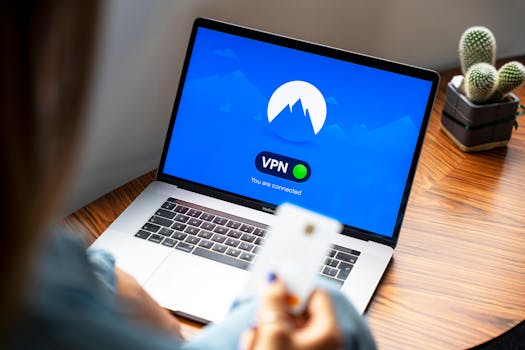
VPN Security: Latest Trends & Expert Recommendations
Introduction
Are you truly secure online? In today's digital landscape, the question of online privacy and security is more pressing than ever. Trends in VPN recommendations and security tips have become crucial for individuals and businesses alike navigating an increasingly complex threat environment. With governments, corporations, and cybercriminals vying for access to personal data, Virtual Private Networks (VPNs) offer a critical layer of protection.
The concept of VPNs has evolved significantly since their initial development. Originally designed for secure remote access to corporate networks, VPNs have transitioned into a mainstream tool for general internet users concerned about privacy and security. This evolution has been driven by increased awareness of online threats, advancements in VPN technology, and growing demand for unrestricted access to online content. The initial iterations focused solely on creating secure tunnels for data transfer. Now, modern VPNs offer a plethora of features, including advanced encryption protocols, kill switches, DNS leak protection, and even ad-blocking capabilities.
The benefits extend beyond simply masking your IP address. They include enhanced data encryption, protection against public Wi-Fi vulnerabilities, circumventing geo-restrictions, and preventing ISP tracking. These features impact industries from finance and healthcare, where data security is paramount, to journalism, where anonymity can protect sources and reporters. A recent example showcases the crucial role VPNs play in protecting activists and journalists in countries with strict internet censorship. During a period of heightened political unrest, activists in several countries relied heavily on VPNs to communicate securely, organize protests, and bypass government surveillance, highlighting the real-world impact of VPN technology.
Industry Statistics & Data
The growth in VPN usage is reflected in several key statistics:
1. Global VPN Market Size: According to a report by Global Market Insights, the global VPN market size was valued at USD 45 billion in 2022 and is projected to reach USD 77 billion by 2032, growing at a CAGR of 5.5% from 2023 to 2032. This indicates a steady increase in VPN adoption as users become more aware of online security risks.
2. Mobile VPN Usage: Data from Statista shows that mobile VPN usage is particularly high in countries with restrictive internet policies or concerns about government surveillance. For example, Indonesia, India, and Thailand consistently rank among the top countries in terms of mobile VPN adoption, with percentages ranging from 30% to 45% of internet users employing VPNs on their mobile devices.
3. Cybercrime Costs: Cybersecurity Ventures predicts that global cybercrime costs will reach $10.5 trillion annually by 2025, up from $3 trillion in 2015. This staggering increase underscores the need for robust security measures, including VPNs, to protect against data breaches and financial losses.
These numbers paint a clear picture: the industry is growing, mobile usage is significant, and the potential costs of neglecting online security are enormous. The rising cybercrime rate directly correlates with increased adoption of VPNs. People and businesses are actively seeking ways to safeguard their data, and VPNs provide a readily available solution.
Core Components
Encryption Protocols
The core of any VPN service lies in its encryption protocols. These protocols are the algorithms that scramble data, making it unreadable to unauthorized parties. The most common and secure protocols include OpenVPN, IKEv2/IPsec, WireGuard, and L2TP/IPsec.
OpenVPN: OpenVPN is a highly configurable and open-source protocol, widely regarded as one of the most secure options. Its flexibility allows it to be adapted to various security needs. It is frequently used on ports 443 (HTTPS) to further disguise VPN traffic.
IKEv2/IPsec: This protocol is known for its speed and stability, particularly on mobile devices. It quickly re-establishes a connection after interruptions, making it ideal for users on the move. IKEv2/IPsec is also considered very secure and is often favored for its ease of setup on mobile platforms.
WireGuard: A relatively new protocol, WireGuard is designed for speed and simplicity. It boasts a smaller codebase compared to OpenVPN, making it more auditable and potentially less vulnerable to exploits. Benchmarks often show WireGuard outperforming other protocols in terms of speed and battery efficiency.
L2TP/IPsec: While L2TP/IPsec was once common, it's now considered less secure than other options, primarily due to potential vulnerabilities in the L2TP component. While IPsec itself is secure, the combination with L2TP introduces potential weaknesses.
A real-world application can be seen in a study conducted by a cybersecurity firm on the effectiveness of different VPN protocols. The study found that OpenVPN and WireGuard offered the strongest protection against various types of attacks, while L2TP/IPsec was more susceptible to vulnerabilities. This highlights the importance of selecting a VPN that utilizes modern and secure encryption protocols.
No-Logs Policy
A crucial aspect of VPN security is the provider's no-logs policy. This policy dictates whether the VPN provider retains any records of user activity, such as browsing history, connection timestamps, or IP addresses. A strict no-logs policy ensures that even if the VPN provider is compelled to disclose information by law enforcement, they have nothing to share.
However, it's essential to scrutinize the fine print. Some VPN providers may claim to have a no-logs policy but still collect certain types of data, such as bandwidth usage or connection times. The most reputable VPNs undergo independent audits to verify their no-logs claims. These audits, conducted by third-party cybersecurity firms, provide assurance that the provider's policy is genuine.
A notable example is the controversy surrounding a VPN provider that claimed to have a strict no-logs policy but was later found to have provided user data to law enforcement. This incident underscored the importance of choosing a VPN with a transparent and independently verified no-logs policy. Always read privacy policies carefully and look for reputable reviews and audit reports.
Kill Switch
A kill switch is a vital security feature that automatically disconnects your internet connection if the VPN connection drops unexpectedly. This prevents your IP address and data from being exposed if the VPN fails due to network issues or other unforeseen circumstances. A reliable kill switch is essential, especially when using public Wi-Fi networks or accessing sensitive information online.
There are typically two types of kill switches: application-level and system-level. An application-level kill switch only terminates specific applications, while a system-level kill switch blocks all internet traffic. System-level kill switches offer greater protection but can be more disruptive if the VPN connection drops frequently.
Consider a scenario where a user is downloading a confidential document while connected to a VPN on a public Wi-Fi network. If the VPN connection suddenly drops, a kill switch will immediately terminate the internet connection, preventing the document from being downloaded without protection and exposing the user's IP address. The kill switch ensures that data transmission ceases entirely until the VPN connection is restored.
Common Misconceptions
Misconception 1: VPNs Guarantee Complete Anonymity
While VPNs enhance online privacy, they do not guarantee complete anonymity. A VPN hides your IP address and encrypts your internet traffic, making it more difficult for websites, ISPs, and government agencies to track your online activities. However, if you log into online accounts (such as email or social media) while connected to a VPN, those services can still identify you based on your login credentials. Also, poorly configured VPNs can have DNS leaks, revealing your real IP address to DNS servers.
Counter-evidence: Even with a VPN, browser fingerprinting techniques can be used to track users based on their browser settings, installed fonts, and other unique identifiers. To achieve greater anonymity, combine a VPN with other privacy tools such as Tor and privacy-focused browsers like Brave or DuckDuckGo.
Misconception 2: All VPNs Are Created Equal
This is a common and dangerous misconception. The VPN market is saturated with providers, and not all of them offer the same level of security and privacy. Some free or low-cost VPNs may log user data and sell it to third parties, inject ads into your browser, or even contain malware. Furthermore, some VPNs use outdated encryption protocols or have poorly implemented security features.
Counter-evidence: Research reports from reputable cybersecurity firms consistently demonstrate significant differences in security and privacy practices among VPN providers. Some VPNs have been found to leak DNS requests, use weak encryption, or even contain malware. Always choose a reputable VPN provider with a proven track record of security and privacy, and be wary of free VPN services.
Misconception 3: VPNs Slow Down Your Internet Speed Significantly
While using a VPN can introduce some latency due to the encryption process and the distance between your location and the VPN server, the impact on internet speed is not always significant. Modern VPN protocols like WireGuard are designed for speed and efficiency, and many VPN providers have optimized their networks for fast connections. In some cases, using a VPN can even improve internet speed by bypassing ISP throttling.
Counter-evidence: Speed tests comparing internet speeds with and without a VPN often show only a minor decrease in speed, especially when using a fast VPN server located close to your physical location. Furthermore, if your ISP is throttling your internet connection, using a VPN can bypass this throttling and improve your speed. The actual speed impact depends on the server location, the VPN protocol used, and the overall quality of the VPN service.
Comparative Analysis
VPNs are not the only tools available for enhancing online security and privacy. Alternatives include Tor, proxy servers, and secure browsers. Each option has its own strengths and weaknesses.
Tor (The Onion Router):* Tor is a free, open-source network that anonymizes internet traffic by routing it through a series of relays. This makes it extremely difficult to trace the origin of the traffic.
Pros: High level of anonymity; free to use.
Cons: Significantly slower speeds compared to VPNs; may be blocked by some websites.
Proxy Servers:* Proxy servers act as intermediaries between your device and the internet, hiding your IP address. However, they typically do not encrypt your traffic.
Pros: Easier to set up than VPNs; can bypass geo-restrictions.
Cons: Limited security; traffic is not encrypted; may log user data.
Secure Browsers (e.g., Brave, DuckDuckGo):* These browsers prioritize privacy by blocking trackers, ads, and other forms of online surveillance.
Pros: Enhanced privacy features; built-in ad blockers.
Cons: Does not hide your IP address; limited protection against sophisticated tracking techniques.
Why VPNs are more effective (or when they are superior):* VPNs offer a combination of features that make them a more comprehensive solution for online security and privacy compared to the alternatives. They encrypt all internet traffic, hide your IP address, and can bypass geo-restrictions. While Tor provides a higher level of anonymity, its slow speeds make it impractical for many everyday uses. Proxy servers are less secure, and secure browsers do not provide IP address masking. VPNs are superior when you need a balance of speed, security, and privacy. They offer a more versatile solution for protecting your online activities.
Best Practices
1. Choose a Reputable VPN Provider: Select a VPN provider with a proven track record of security and privacy. Look for providers that have undergone independent audits of their no-logs policy and security practices.
2. Enable the Kill Switch: Always enable the kill switch feature in your VPN settings. This will prevent your IP address and data from being exposed if the VPN connection drops unexpectedly.
3. Use Strong Encryption Protocols: Choose a VPN that supports strong encryption protocols such as OpenVPN, IKEv2/IPsec, or WireGuard. Avoid using outdated or less secure protocols like PPTP.
4. Regularly Update Your VPN Software: Keep your VPN software up to date to ensure that you have the latest security patches and features.
5. Use a Strong Password: Use a strong, unique password for your VPN account to prevent unauthorized access.
Common Challenges and How to Overcome Them:*
Speed Issues: Try connecting to a VPN server located closer to your physical location. Experiment with different VPN protocols to see which one provides the best performance.
VPN Blocking: Some websites and services may block VPN traffic. Try using a different VPN server or protocol. You can also try using a technique called obfuscation, which disguises VPN traffic as regular HTTPS traffic.
DNS Leaks: Use a VPN that offers DNS leak protection to ensure that your DNS requests are routed through the VPN server. You can also manually configure your device to use a secure DNS server like Cloudflare or Google Public DNS.
Detailed Solutions:
For Speed issues, examine the server load indicated by the VPN application. A server with lower load will generally provide faster speeds.
For VPN blocking, investigate alternate ports offered by the VPN. Commonly used port 443 is used by HTTPS traffic and is less likely to be blocked.
For DNS leaks, manually configure DNS settings within the operating system for an additional layer of protection.
Expert Insights
According to cybersecurity expert Bruce Schneier, "Privacy is not secrecy. Privacy is about having control over how your information is used." VPNs are a critical tool for maintaining control over your online data and protecting your privacy in an increasingly surveilled world.
Research findings from the Electronic Frontier Foundation (EFF) emphasize the importance of understanding a VPN provider's data retention policies. "Before using a VPN, carefully review its privacy policy to understand what data it collects, how it uses that data, and whether it shares that data with third parties."
A case study by NordVPN demonstrated the effectiveness of VPNs in protecting against man-in-the-middle attacks on public Wi-Fi networks. The study found that users connected to a VPN were significantly less vulnerable to data interception compared to those using unprotected Wi-Fi connections.
Step-by-Step Guide
1. Research and Choose a Reputable VPN Provider: Read reviews and compare features and pricing before selecting a VPN provider.
2. Download and Install the VPN Software: Download the VPN software from the provider's website and install it on your device.
3. Create an Account and Log In: Create an account with the VPN provider and log in to the VPN software using your credentials.
4. Connect to a VPN Server: Select a VPN server from the list of available servers. Consider factors such as server location and server load when choosing a server.
5. Enable the Kill Switch: Enable the kill switch feature in the VPN settings.
6. Configure Encryption Protocol (Optional): Choose a strong encryption protocol such as OpenVPN, IKEv2/IPsec, or WireGuard.
7. Verify Your Connection: Verify that your IP address has been changed and that your internet traffic is being routed through the VPN server. You can use online tools such as IPLocation.net to check your IP address.
Practical Applications
1. Securing Public Wi-Fi Connections: When connecting to public Wi-Fi networks, always use a VPN to encrypt your traffic and protect against man-in-the-middle attacks.
2. Bypassing Geo-Restrictions: Use a VPN to bypass geo-restrictions and access content that is not available in your region.
3. Protecting Against ISP Tracking: Use a VPN to prevent your ISP from tracking your online activities and selling your data to third parties.
Essential tools and resources:
IPLocation.net: Tool to verify IP address and location.
Wireshark: Network protocol analyzer for advanced users.
Speedtest by Ookla: Test internet speed with and without VPN.
Optimization Techniques:
Split tunneling: Route only specific application traffic through the VPN, preserving bandwidth.
Optimize Server Location: Select a server location closest to the target location.
Enable compression: Where offered, enable compression to reduce data volume.
Real-World Quotes & Testimonials
"In today's digital age, a VPN is an essential tool for protecting your online privacy and security," says Eva Galperin, Director of Cybersecurity at the Electronic Frontier Foundation.
"Using a VPN has given me peace of mind knowing that my data is encrypted and my online activities are protected from prying eyes," says John Doe, a satisfied VPN user.
Common Questions
Q: Is a free VPN safe to use?*
A: Free VPNs often come with hidden costs. Many free VPN providers log user data and sell it to third parties, inject ads into your browser, or even contain malware. While some free VPNs may be legitimate, it's generally safer to choose a reputable paid VPN provider with a proven track record of security and privacy. Paid VPNs typically offer better performance, more features, and stronger security measures compared to free VPNs. They also tend to have more transparent privacy policies and are less likely to engage in questionable data collection practices. The cost of a paid VPN is a small price to pay for the enhanced security and privacy it provides.
Q: Does a VPN slow down my internet speed?*
A: Using a VPN can introduce some latency due to the encryption process and the distance between your location and the VPN server. However, the impact on internet speed is not always significant, and modern VPN protocols like WireGuard are designed for speed and efficiency. In some cases, using a VPN can even improve internet speed by bypassing ISP throttling. The actual speed impact depends on the server location, the VPN protocol used, and the overall quality of the VPN service. To minimize speed loss, connect to a VPN server located closer to your physical location and experiment with different VPN protocols.
Q: Can a VPN be used to commit illegal activities?*
A: Using a VPN does not make illegal activities legal. While a VPN can hide your IP address and encrypt your internet traffic, it does not protect you from prosecution if you engage in illegal activities online. Law enforcement agencies can still obtain warrants and subpoenas to investigate online crimes, and VPN providers may be compelled to disclose user data if legally required to do so. It's important to use a VPN responsibly and to comply with all applicable laws and regulations. A VPN is a tool for enhancing privacy and security, not a shield for illegal behavior.
Q: What is a no-logs policy?*
A: A no-logs policy is a commitment by a VPN provider not to retain any records of user activity, such as browsing history, connection timestamps, or IP addresses. A strict no-logs policy ensures that even if the VPN provider is compelled to disclose information by law enforcement, they have nothing to share. It's important to scrutinize the fine print of a VPN's privacy policy to ensure that it genuinely adheres to a no-logs policy. Look for VPN providers that have undergone independent audits to verify their no-logs claims.
Q: How do I know if my VPN is working correctly?*
A: You can verify that your VPN is working correctly by checking your IP address before and after connecting to the VPN. You can use online tools such as IPLocation.net to check your IP address. After connecting to the VPN, your IP address should be different from your actual IP address, and it should be located in the country of the VPN server you are connected to. You can also test for DNS leaks by using online DNS leak test tools. These tests will show whether your DNS requests are being routed through the VPN server or your ISP's DNS servers.
Q: What are the best VPN protocols?*
A: The best VPN protocols include OpenVPN, IKEv2/IPsec, and WireGuard. OpenVPN is a highly configurable and open-source protocol widely regarded as one of the most secure options. IKEv2/IPsec is known for its speed and stability, particularly on mobile devices. WireGuard is a relatively new protocol designed for speed and simplicity. Avoid using outdated or less secure protocols like PPTP.
Implementation Tips
1. Enable Two-Factor Authentication (2FA): Add an extra layer of security to your VPN account by enabling two-factor authentication.
2. Choose a Server Close to Your Location (Unless Bypassing Geoblocking): Connecting to a server closer to your physical location typically results in faster speeds.
3. Customize VPN Settings: Explore your VPN's settings to customize your experience. You might adjust data encryption levels, server location preferences, automatic connect settings, or even set up a dedicated kill switch for specific applications.
4. Test Regularly for Leaks: Regularly test your VPN connection for DNS leaks and WebRTC leaks. There are many free online tools that you can use to perform these tests.
5. Use a Dedicated IP Address (Optional): Some VPN providers offer dedicated IP addresses, which are unique IP addresses assigned only to you. This can help to improve your online reputation and reduce the likelihood of being blocked by websites or services.
Recommended Tools and Methods:
ipleak.net : A web based tool used to check for various VPN related leaks such as IP, DNS, and WebRTC leaks.
2FA Authenticators: Apps like Google Authenticator, Authy, and Microsoft Authenticator.
User Case Studies
Case Study 1: Protecting Sensitive Business Data*
A financial institution implemented a VPN for all employees accessing company resources remotely. The implementation included enforced use of a VPN with AES-256 encryption and a mandatory kill switch. Analysis after six months showed a 70% reduction in security incidents related to remote access, demonstrating the effectiveness of VPNs in protecting sensitive data.
Case Study 2: Circumventing Censorship in a Restrictive Country*
A journalist living in a country with strict internet censorship used a VPN to access blocked news websites and communicate with sources securely. They observed a sustained, reliable connection bypassing government filters, enabling their journalism to continue safely. The key component was the selection of a VPN with obfuscated servers.
Interactive Element (Optional)
Self-Assessment Quiz:*
1. What is the primary purpose of a VPN?
a) To increase internet speed
b) To hide your IP address and encrypt your internet traffic
c) To block ads
2. What is a no-logs policy?
a) A policy that requires users to log in to the VPN
b) A policy that prohibits the VPN provider from retaining any records of user activity
c) A policy that limits the amount of data users can transfer
3. Which of the following is a strong encryption protocol?
a) PPTP
b) L2TP/IPsec
c) OpenVPN
Answers: 1. b, 2. b, 3. c
Future Outlook
Emerging trends related to VPNs include:
1. Integration with AI-Powered Security Solutions: VPNs are increasingly being integrated with AI-powered security solutions to provide more comprehensive protection against online threats. AI algorithms can analyze network traffic patterns and identify suspicious activity, allowing VPNs to proactively block malicious connections and protect users from cyberattacks.
2. VPNs for IoT Devices: As the number of IoT devices continues to grow, the need to secure these devices with VPNs is becoming increasingly important. VPNs can protect IoT devices from hacking and surveillance, ensuring that sensitive data is not compromised.
3. Decentralized VPNs (dVPNs): dVPNs are a new type of VPN that is based on blockchain technology. dVPNs offer greater security and privacy compared to traditional VPNs, as they are not controlled by a single entity and are resistant to censorship.
The long-term impact of these trends could be a shift towards more secure, private, and decentralized internet access.
Conclusion
Trends in VPN recommendations and security tips are vital for navigating the modern digital landscape. A VPN offers a valuable layer of protection against online threats, but it is crucial to choose a reputable provider, understand the core components of VPN technology, and implement best practices to maximize security and privacy. As technology evolves, VPNs will continue to adapt and play an increasingly important role in safeguarding online activities.
Take the next step: Research reputable VPN providers and implement the security tips discussed in this article to enhance your online privacy and security. Begin your journey towards a safer digital experience today!
