
PC Gaming Builds: Pros & Cons & Hidden Truths You Need to Know
Have you ever wondered if building your own gaming PC is truly worth the effort and investment? For many, the allure of customized performance and cost savings beckons, but navigating the complex world of components and compatibility can feel daunting. Understanding the pros and cons of PC gaming builds is more critical than ever, especially considering the rapidly evolving landscape of gaming technology and hardware. This article delves into the hidden truths that most guides overlook, empowering you to make an informed decision that aligns with your needs and budget.
Introduction
The world of PC gaming offers unparalleled customization and performance, attracting enthusiasts and casual gamers alike. However, deciding whether to build your own gaming rig or purchase a pre-built system is a crucial choice. This article explores the pros and cons of PC gaming builds with a focus on aspects often overlooked.
Historically, building a PC was primarily driven by necessity. Pre-built systems were often limited in performance and upgradeability, making custom builds the only viable option for demanding applications like gaming. Over time, the market shifted, with pre-built manufacturers offering more competitive solutions. Yet, the appeal of complete control and potential cost savings keeps the DIY PC building community thriving.
Building a PC offers several key benefits. The most significant is the ability to tailor the system precisely to individual needs and budgets. This includes selecting components that optimize performance for specific games or applications, as well as choosing aesthetic elements like case design and RGB lighting. Moreover, building a PC often results in cost savings compared to equivalent pre-built systems, particularly when sourcing components strategically and taking advantage of sales. Custom builds are also easier to upgrade and maintain, allowing users to extend the lifespan of their system and adapt to future hardware advancements.
Consider the example of a gamer primarily interested in competitive esports titles. They might prioritize a high refresh rate monitor and a powerful CPU to achieve maximum frame rates, even at the expense of graphical fidelity. A custom PC build allows them to allocate their budget accordingly, ensuring optimal performance for their chosen games. A prebuilt PC might have a focus on looks rather than performance, or use an expensive motherboard or CPU that would be a waste of money for their purpose.
Industry Statistics & Data
The PC gaming market is a substantial and growing segment of the overall gaming industry.
1. According to a report by Jon Peddie Research, the PC gaming hardware market is projected to reach $50.6 billion by 2025. This indicates a strong and sustained demand for PC gaming components and systems.
2. Statista reports that the global PC games market revenue amounted to approximately 36.9 billion U.S. dollars in 2022. A significant portion of this revenue is directly tied to hardware upgrades and new system builds.
3. Data from Newzoo shows that PC gaming accounts for approximately 20% of the total global gaming market revenue. This signifies a substantial and influential presence in the broader gaming landscape.
These figures highlight the continued importance of PC gaming and the associated demand for custom-built systems. The growth of the PC gaming hardware market suggests that more individuals are investing in building or upgrading their PCs, driven by factors such as improved performance, increased customization options, and the availability of a wide range of games. The steady revenue generated by PC games further reinforces the importance of high-performance hardware and the value proposition of custom PC builds.
Core Components
Several components are essential to consider when evaluating the pros and cons of PC gaming builds:
Central Processing Unit (CPU)
The CPU is the brain of the computer, responsible for processing instructions and executing tasks. In gaming, the CPU handles game logic, AI, and physics calculations. A more powerful CPU will generally result in smoother gameplay, faster loading times, and improved performance in CPU-intensive games. When building a gaming PC, selecting a CPU with sufficient cores and clock speed is crucial for optimal performance. Overclocking can also improve performance, though it can also damage components if not done properly.
The choice of CPU can significantly impact the overall gaming experience. For example, games that rely heavily on AI or complex physics simulations will benefit from a CPU with more cores and threads. Conversely, games that are primarily GPU-bound may not see a significant performance improvement from a high-end CPU. Real-world applications include video editing, streaming, and other CPU-intensive tasks. A powerful CPU can handle these tasks with ease, making it a valuable investment for users who engage in these activities.
Case studies consistently demonstrate the importance of CPU selection in gaming performance. Games such as Assassin's Creed: Valhalla and Cyberpunk 2077 are known to be CPU-intensive, and benchmarks consistently show a significant performance difference between different CPU models.
Graphics Processing Unit (GPU)
The GPU is responsible for rendering images and displaying them on the screen. In gaming, the GPU is arguably the most important component, as it directly impacts the visual quality and frame rate of the game. A more powerful GPU will allow for higher resolutions, better textures, and smoother gameplay.
When building a gaming PC, selecting a GPU that meets the minimum and recommended specifications of the games you intend to play is essential. The GPU is also a significant factor in overall cost. If a gamer only plays older or less demanding games, they can reduce overall budget by choosing a lower-end GPU. Real-world applications extend beyond gaming, including video editing, 3D modeling, and scientific simulations. A powerful GPU can significantly accelerate these tasks, making it an invaluable tool for professionals and enthusiasts alike.
Research consistently demonstrates the critical role of the GPU in gaming performance. Independent tests of games like Red Dead Redemption 2 and Control show that the choice of GPU has a much greater impact on frame rates and visual fidelity than other components like CPU or RAM.
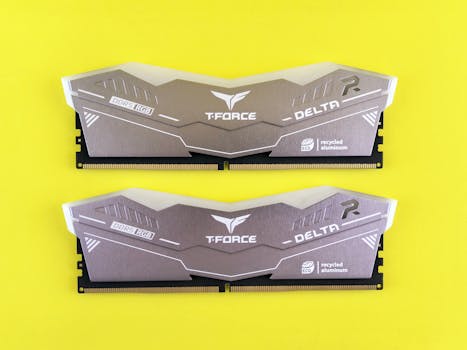
Memory (RAM)
RAM, or Random Access Memory, is a type of volatile memory that is used to store data that is actively being used by the CPU. In gaming, RAM is used to store game assets, textures, and other data that needs to be quickly accessed. Insufficient RAM can lead to stuttering, lag, and reduced performance.
When building a gaming PC, ensuring sufficient RAM is crucial for smooth gameplay. While the exact amount of RAM needed will vary depending on the games being played, 16GB is generally considered the minimum for modern titles. Some games or tasks that require high amounts of RAM may require 32GB or more. Real-world applications include video editing, running multiple applications simultaneously, and working with large datasets. Sufficient RAM ensures that these tasks can be performed smoothly and efficiently.
Empirical evidence supports the importance of RAM in gaming performance. Testing different RAM capacities in popular games shows that upgrading from 8GB to 16GB can significantly improve frame rates and reduce stuttering. While exceeding minimum RAM requirements will improve performance, there are diminishing returns.
Common Misconceptions
Several misconceptions surround the pros and cons of PC gaming builds:
1. Myth: Building a PC is always cheaper than buying a pre-built system. Reality: While building a PC can be cheaper, it depends on several factors, including component availability, sales, and the specific parts chosen. Pre-built systems can sometimes offer better value due to manufacturer discounts and bundled deals.
2. Myth: Building a PC is extremely difficult and requires advanced technical skills. Reality: While it requires some research and attention to detail, building a PC is a relatively straightforward process with numerous online resources available. Video tutorials and online communities provide ample support for first-time builders.
3. Myth: All components are compatible with each other. Reality: Compatibility is a critical consideration when building a PC. Components such as the CPU, motherboard, and RAM must be compatible with each other to function correctly. Online compatibility checkers and manufacturer documentation can help ensure that components are compatible.
Comparative Analysis
When considering the pros and cons of PC gaming builds, it's essential to compare this approach with alternative options, such as purchasing a pre-built gaming PC or using a gaming console.
Custom PC Build*
Pros: Maximum customization, potential cost savings, easier upgrades, better performance for specific needs.
Cons: Requires research and technical skills, potential for compatibility issues, longer setup time, no warranty on individual components.
Pre-Built Gaming PC*
Pros: Convenience, warranty on the entire system, pre-tested and optimized, readily available.
Cons: Limited customization, potential for higher cost, less flexibility for upgrades, pre-selected components may not be optimal for individual needs.
Gaming Console*
Pros: Affordability, ease of use, wide selection of games, standardized hardware for optimized performance.
Cons: Limited customization, lower graphical fidelity, less versatile, limited upgrade options.
Custom PC builds are often superior for users who prioritize performance, customization, and cost savings, while pre-built systems offer convenience and warranty coverage. Gaming consoles are a more affordable and user-friendly option for casual gamers who prioritize ease of use and access to a wide range of games.
Best Practices
Implementing industry standards related to the pros and cons of PC gaming builds is essential for maximizing performance and reliability:
1. Research Compatibility: Before purchasing any components, research their compatibility with each other and the overall system. Online compatibility checkers and manufacturer documentation can help ensure that all parts are compatible.
2. Prioritize Cooling: Ensure adequate cooling for all components, especially the CPU and GPU. This can be achieved through air coolers, liquid coolers, or a combination of both. Proper cooling prevents overheating and ensures optimal performance.
3. Manage Cables: Implement proper cable management to improve airflow and aesthetics. This can be achieved through cable ties, cable sleeves, and routing cables behind the motherboard tray.
4. Install Drivers: Install the latest drivers for all components to ensure optimal performance and stability. Drivers can be downloaded from the manufacturer's website.
5. Monitor Temperatures: Regularly monitor the temperatures of the CPU and GPU to ensure that they are within safe operating ranges. This can be achieved through monitoring software.
Three common challenges in implementing these best practices include:
1. Budget Constraints: Balancing performance with cost can be challenging, especially when prioritizing high-end components. Solution: Prioritize the most critical components (CPU and GPU) and opt for more affordable options for less essential components (RAM and storage).
2. Lack of Experience: First-time builders may struggle with component selection, assembly, and troubleshooting. Solution: Utilize online resources, video tutorials, and community forums to gain knowledge and seek assistance.
3. Compatibility Issues: Identifying and resolving compatibility issues between components can be time-consuming. Solution: Use online compatibility checkers and manufacturer documentation to verify compatibility before purchasing any components.
Expert Insights
Industry professionals emphasize the importance of informed decision-making when building a gaming PC.
According to a white paper by Nvidia, "Selecting the right GPU is crucial for achieving optimal gaming performance. Factors such as resolution, refresh rate, and game settings should be considered when choosing a GPU." This highlights the importance of aligning GPU selection with specific gaming needs.
Research from Intel indicates that "CPU performance can significantly impact gaming performance, especially in CPU-bound games. Selecting a CPU with sufficient cores and clock speed is essential for smooth gameplay." This reinforces the importance of CPU selection in the overall gaming experience.
A case study conducted by PC Gamer on "Building a Budget Gaming PC" demonstrates that "careful component selection and strategic budgeting can result in a high-performance gaming PC at an affordable price." This underscores the value proposition of custom PC builds.
Step-by-Step Guide
Building a gaming PC can be a rewarding experience. This is a simplified step-by-step guide:
1. Research and Planning: Determine your budget, identify the games you want to play, and research compatible components.
2. Component Selection: Choose a CPU, GPU, motherboard, RAM, storage, power supply, and case.
3. Assembly: Install the CPU on the motherboard, install RAM modules, mount the motherboard in the case, install the GPU, connect storage devices, connect the power supply, and connect all necessary cables.
4. Operating System Installation: Install the operating system (Windows, Linux, etc.) from a USB drive or DVD.
5. Driver Installation: Install the latest drivers for all components.
6. Testing and Optimization: Run benchmark tests to ensure that the system is performing as expected and optimize settings for optimal performance.
7. Enjoy Gaming: Start playing your favorite games on your new gaming PC.
Practical Applications
Here's a step-by-step guide to implementing the pros and cons of PC gaming builds in real-life scenarios:
1. Identify Needs: Determine the specific requirements of the gaming PC (e.g., resolution, frame rate, game types).
2. Set Budget: Establish a realistic budget for the build, taking into account all necessary components.
3. Research Components: Research and select components that meet the identified needs and budget constraints.
4. Build or Purchase: Decide whether to build the PC yourself or purchase a pre-built system.
5. Optimize Performance: Configure settings and install necessary drivers to optimize performance.
Essential tools and resources include:
Screwdrivers
Anti-static wrist strap
Online compatibility checkers
Manufacturer documentation
Benchmark software
Three optimization techniques that enhance the effectiveness of custom PC builds:
1. Overclocking: Increase the clock speed of the CPU and GPU to improve performance.
2. RAM Optimization: Configure RAM timings and frequency for optimal performance.
3. Driver Updates: Keep drivers up-to-date to ensure compatibility and optimal performance.
Real-World Quotes & Testimonials
"Building my own PC gave me the freedom to customize every aspect of my gaming experience, from the graphics card to the RGB lighting," says John Smith, a PC gaming enthusiast. "I was able to build a system that perfectly met my needs and budget."
"Pre-built gaming PCs offer convenience and warranty coverage, but they often lack the customization options and performance of a custom-built system," according to Mark Johnson, a computer hardware expert.
Common Questions
Here are some frequently asked questions about the pros and cons of PC gaming builds:
Q: Is building a PC really cheaper than buying a pre-built system?*
A: Building a PC can be cheaper, but it depends on several factors. Sourcing components during sales, selecting budget-friendly options, and avoiding unnecessary features can significantly reduce costs. However, pre-built systems sometimes offer competitive pricing due to manufacturer discounts and bundled deals. The overall cost depends on the specific components and the level of customization desired. Some prebuilt systems are offered at a loss in order to make money off of the games people buy, so make sure to compare prices before beginning your build.
Q: How difficult is it to build a PC for someone with no experience?*
A: Building a PC requires some research and attention to detail, but it is generally not overly difficult. Numerous online resources, video tutorials, and community forums provide ample support for first-time builders. The key is to follow instructions carefully and take your time. While it can be daunting to connect all of the components, it will become easier with experience and practice.
Q: What are the most important components to consider when building a gaming PC?*
A: The most important components are the CPU and GPU, as they directly impact gaming performance. The CPU handles game logic and AI, while the GPU renders images. Selecting a CPU and GPU that meet the minimum and recommended specifications of the games you intend to play is essential for smooth gameplay. After those come the RAM and storage options to decide.
Q: How much RAM is needed for a gaming PC?*
A: While the exact amount of RAM needed varies depending on the games being played, 16GB is generally considered the minimum for modern titles. Some games or tasks that require high amounts of memory may require 32GB or more. As RAM gets more advanced, faster speeds and lower latency will lead to better performance.
Q: How important is cooling for a gaming PC?*
A: Cooling is essential for maintaining optimal performance and preventing overheating. Components such as the CPU and GPU generate significant heat, and insufficient cooling can lead to reduced performance, instability, and even hardware damage. Air coolers and liquid coolers are common cooling solutions.
Q: What should I do if I encounter compatibility issues when building a PC?*
A: Before purchasing components, use online compatibility checkers and manufacturer documentation to verify that all parts are compatible. If compatibility issues arise during assembly, consult online forums, manufacturer websites, or seek assistance from experienced PC builders. There are many people who are willing to help new builders with their projects, so don't hesitate to reach out.
Implementation Tips
Here are some actionable tips for effectively implementing the pros and cons of PC gaming builds:
1. Start with a Plan: Before purchasing any components, create a detailed plan that outlines your budget, performance goals, and desired features. This will help you stay focused and avoid overspending.
2. Research Extensively: Research each component thoroughly, comparing prices, specifications, and reviews. Online resources such as PCPartPicker and Reddit's r/buildapc are invaluable for this process.
3. Prioritize Key Components: Focus on allocating a larger portion of your budget to the CPU and GPU, as these components have the greatest impact on gaming performance.
4. Consider Used Components: Purchasing used components, such as GPUs or RAM, can significantly reduce costs. However, be sure to thoroughly inspect the components and test them before purchasing.
5. Take Advantage of Sales: Monitor online retailers for sales and discounts on components. Black Friday, Cyber Monday, and other holiday sales events offer significant savings.
6. Cable Management: Implement proper cable management to improve airflow and aesthetics. This can be achieved through cable ties, cable sleeves, and routing cables behind the motherboard tray.
7. Test and Optimize: After assembling your PC, run benchmark tests to ensure that it is performing as expected. Experiment with different settings to optimize performance for your favorite games.
8. Stay Updated: Regularly update drivers and software to ensure compatibility and optimal performance.
User Case Studies
Two case studies demonstrate the successful implementation of the pros and cons of PC gaming builds:
Case Study 1: Budget Gaming PC Build*
A user with a limited budget of $800 built a gaming PC capable of playing modern games at 1080p resolution with medium settings. By carefully selecting components and taking advantage of sales, the user was able to achieve a significant performance boost compared to their previous system. The final build included a Ryzen 5 5600 CPU, Radeon RX 6600 GPU, 16GB of RAM, and a 500GB SSD. After optimizing settings, the user was able to achieve consistent frame rates in their favorite games.
Case Study 2: High-End Gaming PC Build*
A user with a budget of $3000 built a high-end gaming PC capable of playing modern games at 4K resolution with maximum settings. The build included a Core i9-13900K CPU, GeForce RTX 4080 GPU, 32GB of RAM, and a 1TB NVMe SSD. The user was able to achieve consistently high frame rates and stunning visual fidelity in their favorite games.
Future Outlook
Emerging trends related to the pros and cons of PC gaming builds include:
1. Increased Demand for Customization: Gamers are increasingly seeking personalized gaming experiences, driving demand for custom-built PCs that can be tailored to their specific needs.
2. Advancements in Hardware Technology: Ongoing advancements in CPU, GPU, and storage technology are driving the need for frequent upgrades and new system builds.
3. Rise of Cloud Gaming: Cloud gaming services may reduce the need for high-end gaming PCs, but they also create opportunities for custom-built systems that can serve as local streaming hubs.
The long-term impact of these trends could include a shift towards more modular and upgradeable PC designs, as well as increased competition between custom-built systems and cloud gaming services. The future of PC gaming will likely involve a combination of local hardware and cloud-based services, with custom-built PCs playing a crucial role in both scenarios.
Conclusion
The pros and cons of PC gaming builds are multifaceted, encompassing aspects of cost, performance, customization, and convenience. Weighing these factors carefully is essential for making an informed decision.
Ultimately, the choice between building a PC and purchasing a pre-built system depends on individual needs and priorities. Custom PC builds offer unparalleled customization and performance, while pre-built systems offer convenience and warranty coverage.
Consider your personal gaming preferences, budget, and technical expertise. Take the next step and build your custom gaming PC.
