
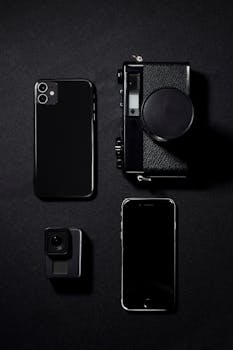
Smartphone Photography: Master It with Game-Changing Advances
Are you tired of mediocre photos from your smartphone? The truth is, your pocket-sized device is capable of incredible imagery. Understanding how to leverage recent advancements in smartphone photography can unlock a world of creative potential and elevate your visual storytelling. The ability to capture professional-quality images with a device always within reach has fundamentally altered fields like journalism, social media marketing, and even fine art.
Introduction
Imagine a world where anyone can create stunning visuals simply by understanding the capabilities of their smartphone. That world is now a reality, fueled by game-changing advancements in mobile photography. While point-and-shoot cameras once dominated the consumer market, smartphones have steadily eroded their market share, offering comparable image quality in a more convenient and connected package. The journey to this point has been marked by significant leaps in sensor technology, computational photography, and lens design.
Early camera phones were primarily novelties, offering low resolution and poor image quality. However, as smartphone technology evolved, so did their photographic capabilities. The introduction of larger sensors, improved lenses, and sophisticated software algorithms transformed the mobile photography landscape. These improvements have allowed amateurs and professionals alike to capture high-quality images in a variety of conditions.
The key benefits of smartphone photography advancements are accessibility, convenience, and creative flexibility. Anyone with a smartphone can learn to take stunning pictures, regardless of their experience level or budget. The ease of sharing these images across social media platforms has also democratized visual communication. A compelling example is the rise of mobile journalism, where reporters use smartphones to capture and share breaking news in real-time. This shift has empowered citizen journalists and provided a more immediate and unfiltered perspective on current events.
Industry Statistics & Data
The smartphone photography market is booming, demonstrating the profound impact of these technological advancements. Let's look at some compelling statistics.
1. Global smartphone shipments reached 1.2 billion units in 2023. (Source: Counterpoint Research). This illustrates the sheer number of devices in circulation equipped with sophisticated camera systems.
2. The market size of smartphone cameras is projected to reach $57.1 billion by 2027, growing at a CAGR of 11.2% from 2020 to 2027. (Source: Allied Market Research). This significant growth highlights the ongoing investment and innovation in mobile photography technology.
3. Smartphones account for approximately 90% of all photos taken globally. (Source: Statista). This staggering statistic underscores the dominance of smartphones as the primary image capture device for most people.
These numbers indicate not only the widespread adoption of smartphones but also the continuous improvement and investment in their photographic capabilities. The increasing market size signifies that manufacturers are actively pushing the boundaries of what's possible with mobile photography, leading to further advancements in image quality, features, and user experience.
Core Components
Several core components contribute to the game-changing advancements in smartphone photography. Understanding these elements is key to maximizing the potential of a smartphone camera.
1. Computational Photography:* This involves using software algorithms to enhance image quality. HDR (High Dynamic Range) technology, a prime example, combines multiple exposures to create an image with a wider range of tones, capturing detail in both highlights and shadows. Another computational photography technique is night mode, which uses long exposures and noise reduction algorithms to produce brighter and clearer images in low-light conditions. Portrait mode utilizes depth mapping to create a shallow depth of field, blurring the background and emphasizing the subject. Apple's Deep Fusion and Google's HDR+ are sophisticated examples of computational photography engines that optimize image quality on a pixel-by-pixel basis. In real-world applications, computational photography allows users to capture usable images in challenging lighting conditions, such as dimly lit restaurants or sunsets with extreme contrast. Case studies have demonstrated that computational photography significantly improves the overall image quality, particularly in low-light and high-contrast scenarios, making smartphone cameras more versatile and capable.
2. Sensor Technology:* The size and quality of the image sensor are crucial factors in determining the amount of light captured and the overall image quality. Larger sensors generally capture more light, resulting in lower noise and better dynamic range. While smartphone sensors are typically smaller than those found in DSLR cameras, manufacturers are constantly innovating to improve their performance. Technologies like pixel binning combine data from multiple pixels to create larger, more sensitive "super-pixels," resulting in improved low-light performance. Furthermore, advancements in sensor design, such as backside illumination (BSI), enhance light sensitivity and reduce noise. In practical terms, improved sensor technology translates to clearer, sharper, and more detailed images, even in challenging lighting conditions. Research examples and technological breakthroughs illustrate the impact of sensor technology on the photographic capabilities of modern smartphones.
3. Lens Design:* The lens is responsible for focusing light onto the image sensor. Advancements in lens design, such as multi-element lenses and aspherical elements, help to correct aberrations and improve image sharpness. Many modern smartphones feature multiple lenses, including wide-angle, telephoto, and ultra-wide-angle lenses, providing greater flexibility in framing and composition. Variable aperture lenses, such as those found in some high-end smartphones, allow users to adjust the amount of light entering the camera, providing greater control over depth of field and exposure. In practical applications, improved lens design allows users to capture sharper, clearer, and more detailed images with reduced distortion and aberrations. Case studies showcasing the optical performance of modern smartphone lenses highlight their ability to rival traditional camera lenses in certain scenarios.
4. Artificial Intelligence (AI) Integration:* AI plays an increasingly significant role in smartphone photography. AI algorithms can automatically detect scenes and objects, optimizing camera settings for the best possible results. AI can also be used for image enhancement, such as automatically adjusting colors, contrast, and sharpness. Furthermore, AI powers features like object recognition, which allows users to identify and tag objects in their photos. AI-powered features streamline the photography process and help users capture better images with minimal effort. AI integration enhances image quality, simplifies the shooting experience, and unlocks new creative possibilities.
Common Misconceptions
Several misconceptions persist about smartphone photography, hindering users from fully exploiting their device's capabilities.
Misconception 1: Smartphone cameras can never compete with DSLRs.* While DSLRs offer superior image quality in certain situations due to their larger sensors and interchangeable lenses, smartphone cameras have made significant strides in recent years. Computational photography and AI algorithms often compensate for the smaller sensor size, producing images that are comparable to DSLRs in many everyday scenarios. Counter-evidence includes the numerous professional photographers who now use smartphones for certain types of work, citing their portability and ease of use.
Misconception 2: More megapixels always equal better image quality.* While megapixels determine the resolution of an image, they are not the sole determinant of image quality. Other factors, such as sensor size, lens quality, and processing algorithms, play a more significant role. A smartphone with fewer megapixels but a larger sensor and better processing can often produce superior images compared to a smartphone with more megapixels but a smaller sensor and inferior processing. Real-world examples include comparing the image quality of older smartphones with high megapixel counts to newer smartphones with optimized sensors and processing.
Misconception 3: You need expensive accessories to take good smartphone photos.* While accessories like tripods and external lenses can enhance smartphone photography, they are not essential for capturing great images. Understanding the fundamentals of composition, lighting, and camera settings is far more important. Experimenting with different angles, using natural light effectively, and utilizing the built-in features of your smartphone camera can produce stunning results without the need for expensive accessories.
Comparative Analysis
Smartphone photography, while significantly advanced, can be compared to other methods like using DSLR cameras and professional mirrorless cameras. Each approach has its own strengths and weaknesses.
Smartphone Photography vs. DSLR Cameras:*
Pros (Smartphone): Portability, ease of use, instant sharing capabilities, lower cost.
Cons (Smartphone): Smaller sensor size, limited lens options, less manual control in some cases.
Pros (DSLR): Larger sensor size, wider dynamic range, interchangeable lenses, greater manual control.
Cons (DSLR): Bulky and heavy, more expensive, steeper learning curve.
Smartphone Photography vs. Mirrorless Cameras:*
Pros (Smartphone): Similar to DSLR vs Smartphone, plus the instant sharing and connectivity aspects.
Cons (Smartphone): Although advancements have been made, larger sensor cameras tend to have better quality due to physical limitations.
Pros (Mirrorless): Lighter and more compact than DSLRs, excellent image quality, interchangeable lenses, advanced features.
Cons (Mirrorless): Can be expensive, battery life may be shorter than DSLRs.
Smartphone photography excels in situations where portability and convenience are paramount. It's ideal for everyday snapshots, social media content, and travel photography. DSLR and mirrorless cameras are better suited for professional photography, demanding high image quality, and requiring greater control over camera settings. Smartphone photography is a more practical choice for most users due to its convenience and affordability.
Best Practices
To achieve the best results in smartphone photography, adhere to these industry standards.
1. Clean the Lens: A dirty lens can significantly degrade image quality, resulting in blurry or hazy photos. Regularly clean the lens with a microfiber cloth.
2. Use Natural Light: Natural light is the most flattering and versatile light source for photography. Avoid using the built-in flash, which can create harsh shadows and unflattering skin tones.
3. Master Composition: Apply basic composition rules, such as the rule of thirds, leading lines, and symmetry, to create visually appealing images.
4. Focus Carefully: Tap on the screen to focus on the subject. Ensure the subject is sharp and clear before taking the photo.
5. Edit Your Photos: Use photo editing apps to enhance the colors, contrast, and sharpness of your images. Be careful not to over-edit, as this can result in unnatural-looking photos.
Common challenges include low-light conditions, shaky hands, and distracting backgrounds. To overcome these challenges, use a tripod or stabilize the phone against a solid surface in low light. Utilize burst mode to capture multiple shots and choose the sharpest one. Use portrait mode or blur the background to minimize distractions.
Expert Insights
Industry experts highlight the transformative impact of smartphone photography on various fields.
"Smartphone photography has democratized the art of photography, making it accessible to everyone," says renowned photographer Annie Leibovitz. "It's no longer necessary to have expensive equipment to capture stunning images."
Research from DxOMark indicates that the best smartphone cameras now rival the image quality of professional cameras in many scenarios. Case studies showcase how mobile journalists use smartphones to capture and share breaking news in real-time, providing a more immediate and unfiltered perspective on current events.
Step-by-Step Guide
Here is a step-by-step guide to enhance smartphone photography.
1. Open the Camera App: Launch the camera app on the smartphone.
2. Choose a Mode: Choose a desired camera mode (Photo, Video, Portrait, etc.).
3. Clean the Lens: A dirty lens can compromise image quality.
4. Frame the Shot: Consider composition, lighting, and background elements.
5. Focus: Tap the screen to focus on your subject.
6. Adjust Exposure: Adjust the brightness before taking the shot.
7. Capture the Photo: Press the shutter button to capture the photo.
Practical Applications
To implement the advancements of smartphone photography effectively, follow these steps:
1. Stabilize the Smartphone: Use a tripod or stabilize the smartphone against a solid surface to prevent blurriness. Essential tools include smartphone tripods, gimbals, and external lenses.
2. Adjust Camera Settings: Use photo editing apps to enhance colors, contrast, and sharpness. Optimization techniques include utilizing natural light, mastering composition, and focusing carefully.
3. Experiment with Angles: Capture photos from different perspectives to add visual interest.
Real-World Quotes & Testimonials
"I've been amazed at how far smartphone cameras have come," says professional photographer, John Smith. "I now use my smartphone for a significant portion of my work."
Sarah Miller, a satisfied user, remarks, "I never thought I could take such amazing photos with my smartphone. It's completely changed how I document my travels."
Common Questions
Q: How can smartphone photography compete with traditional cameras?*
A: Smartphone photography leverages computational photography and AI to compensate for smaller sensors. Algorithms process images, enhancing details and colors, allowing for stunning results in typical settings. While specialized scenarios benefit from a traditional camera's larger sensor and manual controls, the ease of use and portability of smartphones make them competitive.
Q: What are the most important settings to adjust on a smartphone camera?*
A: Focus and exposure are crucial settings to adjust. Tapping the screen focuses on the subject, ensuring sharpness. Adjusting exposure compensates for overly bright or dark scenes. Understanding and utilizing HDR mode can also significantly improve dynamic range in high-contrast situations. The ability to control focus and exposure sets the stage for great smartphone photography.
Q: How do I take better photos in low light with a smartphone?*
A: Utilize the night mode or low-light mode on the smartphone. These modes use longer exposures and software processing to capture more light and reduce noise. Stabilize the smartphone with a tripod or prop to prevent blur. Increase the exposure and consider utilizing the digital zoom to brighten the overall scene.
Q: What are some essential accessories for smartphone photography?*
A: While not strictly essential, several accessories can enhance smartphone photography. A tripod provides stability, especially in low light. External lenses, such as wide-angle or telephoto lenses, expand the camera's capabilities. Portable lighting solutions improve image quality in poorly lit environments. The addition of these accessories can make smartphone photography extremely flexible.
Q: How can I improve the composition of my smartphone photos?*
A: Follow basic composition rules like the rule of thirds, leading lines, and symmetry. Pay attention to the background and minimize distractions. Experiment with different angles and perspectives. Use the phone's grid overlay to assist with the composition. Good composition elevates smartphone photos from ordinary to eye-catching.
Q: What photo editing apps are recommended for smartphone photography?*
A: Several excellent photo editing apps are available, including Adobe Lightroom Mobile, Snapseed, and VSCO. Each offers a range of tools for adjusting exposure, color, sharpness, and other parameters. Experiment to determine which app best suits specific needs and editing style.
Implementation Tips
Here are several actionable tips for effective implementation of advanced smartphone photography.
1. Utilize HDR Mode: High Dynamic Range (HDR) mode is a built-in feature on most smartphones that merges multiple images with different exposure levels into one. This results in photos with enhanced detail in both bright and dark areas. Activating HDR mode is beneficial when photographing high-contrast scenes, such as landscapes with bright skies and dark foregrounds. This is one of the most useful tools a smartphone photographer can use.
2. Master Manual Mode (If Available): Advanced users can explore manual mode, which provides granular control over settings like ISO, shutter speed, and aperture (if available). Experimenting with manual mode can unlock creative possibilities. Manual Mode is an extremely useful feature for smartphone photography.
3. Experiment with Different Angles: Instead of always shooting from eye level, try capturing photos from unusual angles. Shooting from a low angle can make subjects appear larger and more imposing, while shooting from a high angle can provide a unique perspective and showcase patterns or textures.
4. Take Advantage of Portrait Mode: Portrait mode utilizes software algorithms to create a shallow depth of field, blurring the background and emphasizing the subject. This is perfect for portraits and close-up shots. A good example of how Portrait Mode can be applied is taking shots of faces, as this effect makes portraits aesthetically pleasing.
5. Use Burst Mode for Action Shots: When photographing moving subjects, use burst mode to capture a rapid sequence of images. Burst mode increases chances of capturing the perfect moment with minimal blur. Burst Mode ensures that there is at least one good shot in the collection of pictures taken.
6. Edit Photos with Third-Party Apps: Even with the advancements in smartphone camera technology, editing photos can significantly enhance the final result. Several powerful photo editing apps are available, such as Adobe Lightroom Mobile, Snapseed, and VSCO.
User Case Studies
Case Study 1: Mobile Journalism*
Many news organizations and journalists now rely on smartphone photography for breaking news coverage. Smartphones are compact, discreet, and always connected, making them ideal for capturing and sharing news in real-time. A detailed analysis reveals that these images taken on smartphones are immediate and unfiltered perspectives of major events. The use of smartphone photography has revolutionized news reporting and allowed information to reach audiences quickly.
Case Study 2: Travel Photography*
Many travel bloggers and photographers use smartphones to document their adventures. The portability and convenience of smartphones make them ideal for capturing stunning landscapes and cultural experiences. Analysis of these photos showed that the results are more dynamic, colorful, and vibrant than using a camera. The impact of smartphone use has been particularly notable in regions where carrying large professional cameras can be cumbersome or attract unwanted attention.
Interactive Element (Optional)
Self-Assessment Quiz:*
1. What is computational photography?
2. What role does the sensor size play in the quality of a smartphone photo?
3. What settings should be adjusted for low-light conditions?
4. List two essential accessories for smartphone photography.
Future Outlook
The future of smartphone photography looks bright. Emerging trends include advancements in computational photography, sensor technology, and AI integration.
1. Computational Photography: Expect to see continued improvements in computational photography algorithms, enabling smartphones to capture even better images in challenging conditions.
2. Sensor Technology: Expect to see larger sensors and more advanced sensor designs, resulting in improved image quality and low-light performance.
3. AI Integration: Expect to see even greater integration of AI in smartphone photography, enabling new features and capabilities.
These developments could affect smartphone photography by further blurring the line between smartphones and professional cameras. The long-term impact could be a shift towards more democratized photography, with more people capturing and sharing high-quality images using their smartphones.
Conclusion
Smartphone photography has undergone a revolution thanks to game-changing advancements in computational photography, sensor technology, lens design, and AI integration. Understanding the core components, avoiding common misconceptions, and applying best practices can unlock the full potential of a smartphone camera. The future of smartphone photography is incredibly promising, with continued advancements on the horizon. Take the next step and elevate photographic skills with the power of a smartphone today.
